Guest Suite
Book from the Calendar
Who this is for: Admin, Manager, Concierge
AdminManagerConcierge
Tap Calendar. Each row is a suite, each column a night. Use the arrows to move between months.
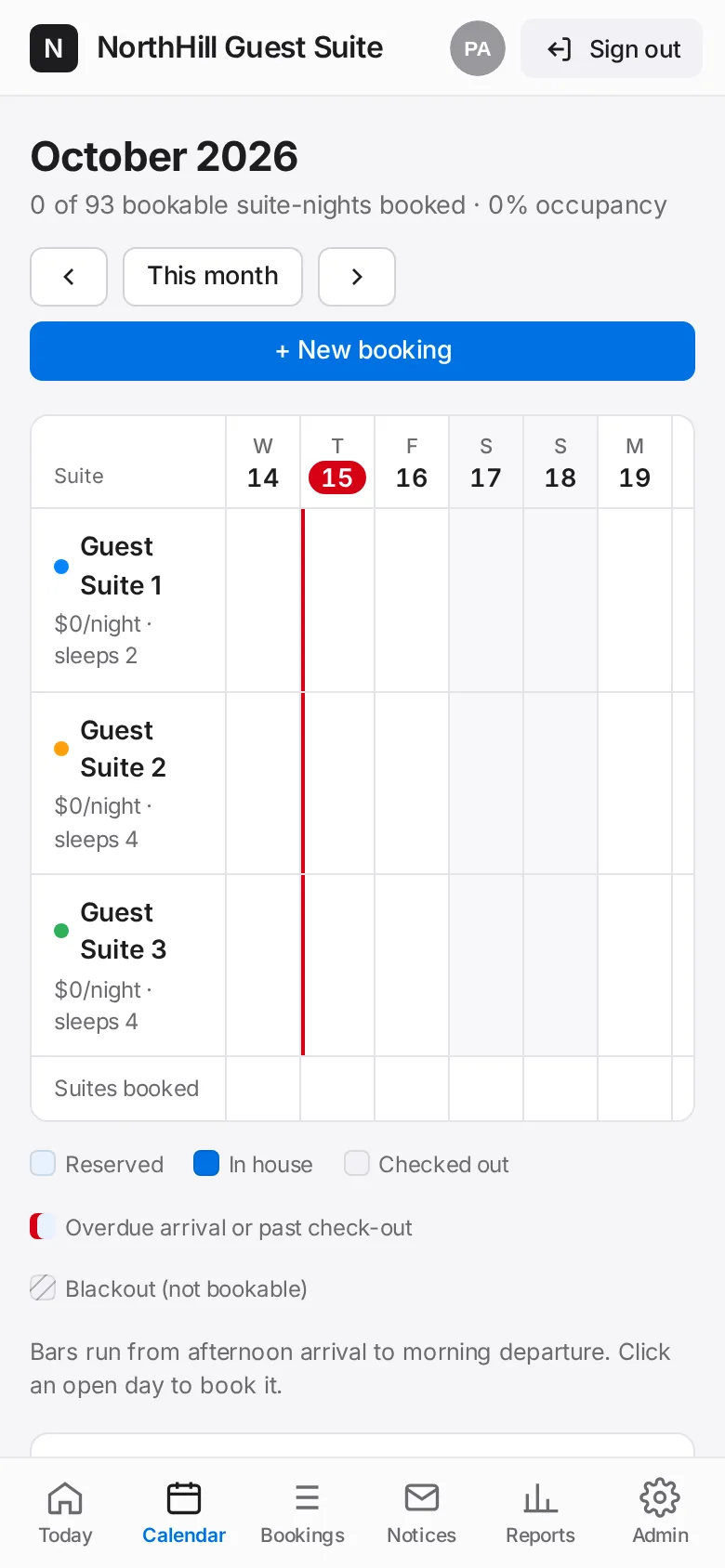
Tap a vacant night on the suite you want. The booking form opens with that suite and date filled in.
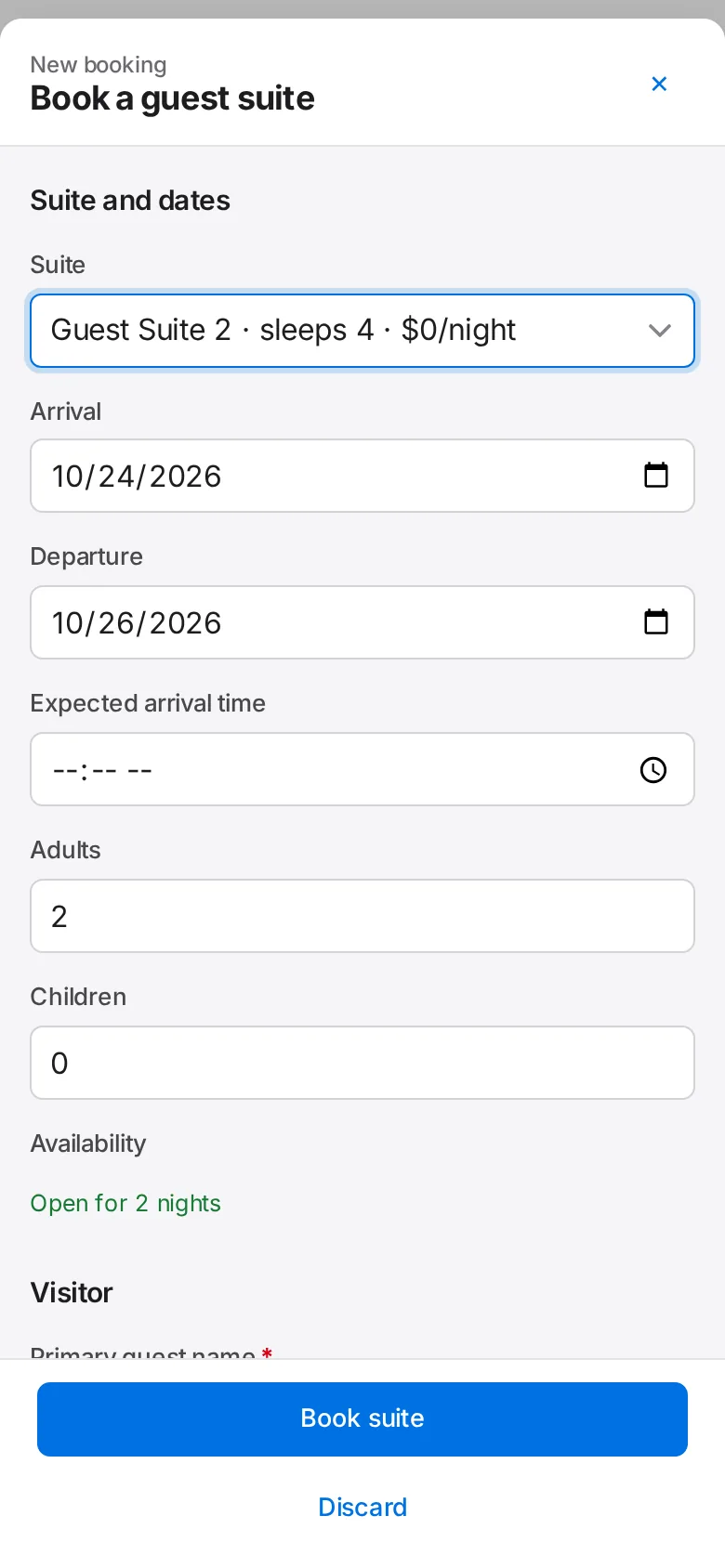
Finish the form and tap Book suite.