Guest Suite
Connect email so notices send themselves
Who this is for: Admin
Admin
Tap Admin → Email.
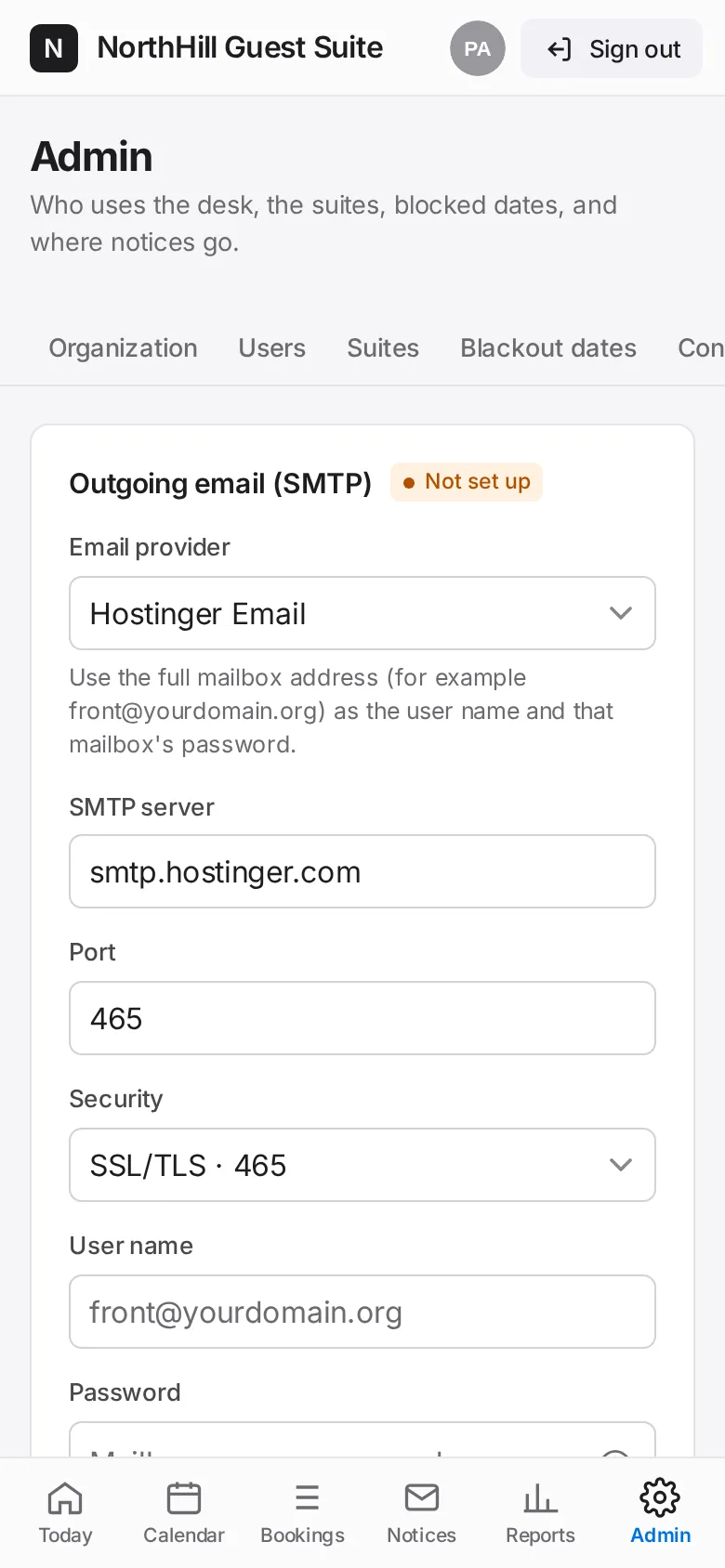
Pick your provider, enter the SMTP server, port, security, user name and password, the Send from address and sender name. Tap Save email settings.
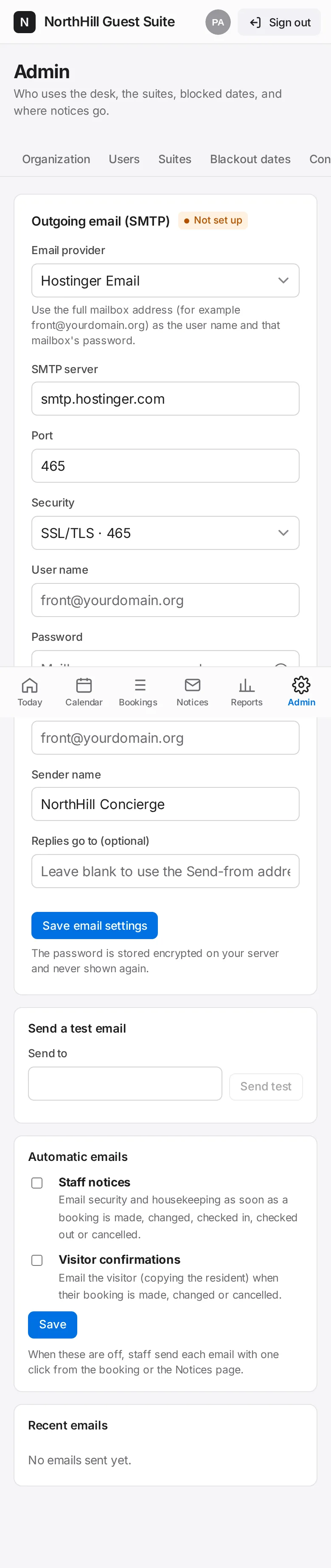
Enter your own address under Send a test email and tap Send test. Check it arrived.
Under Automatic emails switch on Staff notices and Visitor confirmations, then Save. Disconnect email server turns it all off again.